Meet us at Optica Laser Congress 2026, Vilnius, Lithuania October 11 - 15, Booth: 410

  • DXF, DWG, Gerber file import
  • STL file import
  • NC Drill file import
  • Drawing tools
  • Hatching
  • Text
  • Stitching: galvo + stages automation
  • Variables for easy parameter change
  • Loops for repetitive tasks
  • Focus distance adjustment
  • Triggers
  • 3D printing process automation
  • Positioning stages
  • Joystick
  • Galvanometric scanners
  • Laser source
  • Serial port
  • I/O control
  • Cameras
  • Sensors
  • 5-Axis with galvo for surface processing
  • Adaptive Mark on Fly
  • Infinite Field
  • Multiple Scanners for Single Area
  • 5+ Scanners
  • Camera View
  • Autofocus
  • Alignment
  • Camera Stitching
  • Camera Calibration
  • Galvo Scanner Calibration
  • Stage Calibration Tool

DMC is the ultimate tool to create laser machining designs and control laser machines. Be it semiconductor production, mold texturing, or additive manufacturing – DMC has the flexibility to control most laser machining applications. All the processes are designed in a simple and visual way. There is no need for G-Code or any other programming.

DXF, DWG, Gerber file import


DMC software imports DXF, DWG, Gerber files to prepare for laser cutting, etching, ablation, and other 2D, 2.5D applications.

All objects are imported as lines and arcs for efficient machining. Gerber file import preserves its original track line width.

Set the size and position of the object or simply drag it where it should be machined.

Use Hatching to fill the volume of the object.

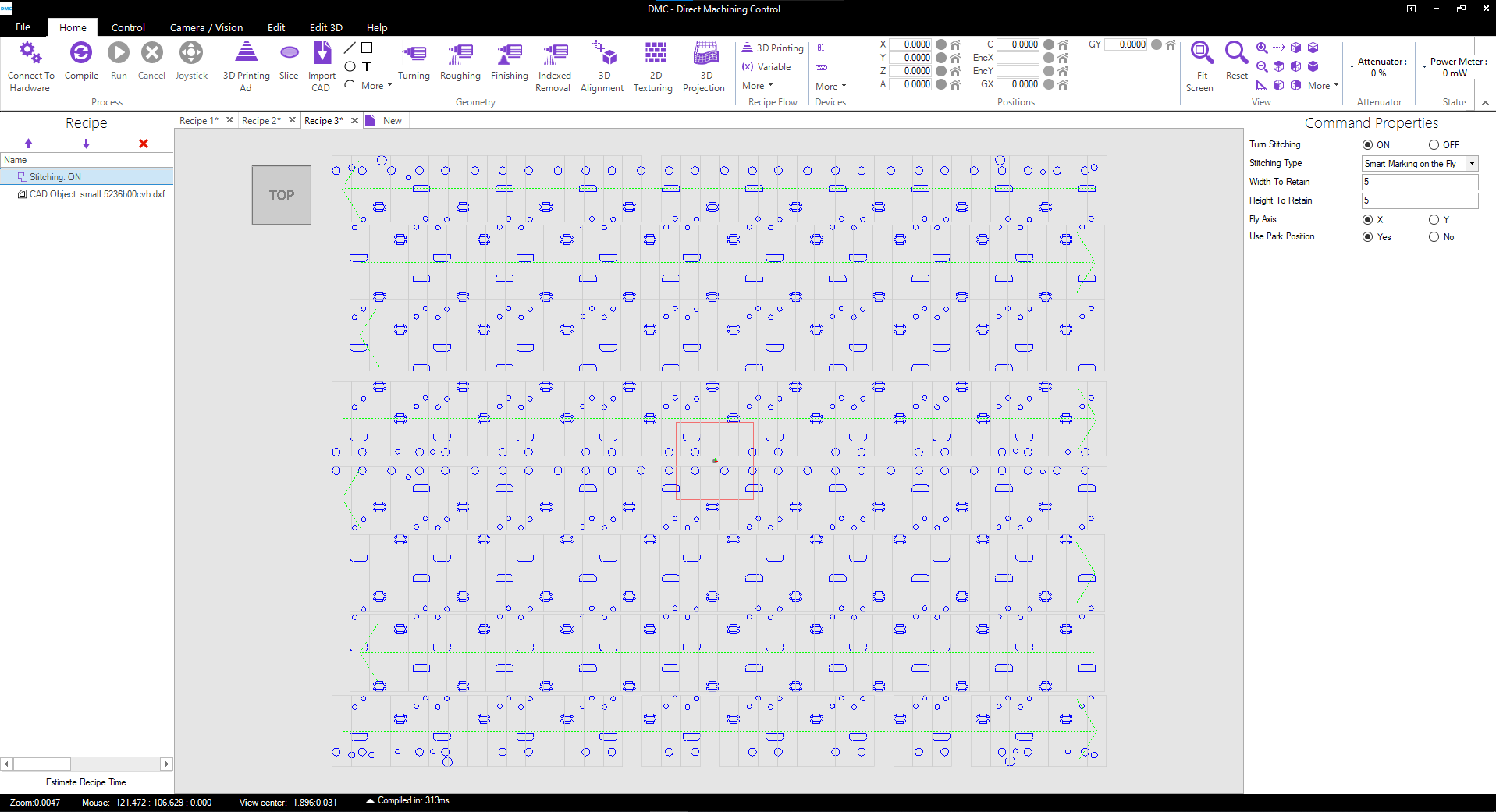
Use Stitching feature to split large objects to machine with galvo scanners.


STL file import

STL files can be imported to DMC laser machining software to prepare them for laser additive manufacturing or deep laser engraving.

DMC slices and hatches STL files to convert them to 2.5D data for layer by layer machining.

Using 64-bit architecture, DMC not only supports large and complex STL files but handles them really fast. Our advanced slicing and hatching algorithms allow slicing 300 MB files with 4 million triangles in less than a minute.

Faulty STL models can be fixed using the DMC Slice Repair tool.

NC Drill file import

DMC allows NC Drill file import for laser drilling processes.

Adjust via hole size by offsets to compensate beam spot diameter.

Use either helical or layer by layer drilling. In Helical drilling mode, Z-axis moves constantly, while XY axes draw circles. In Layer mode, a set number of repeats are done before moving Z-axis by a specified step size to increase drilling depth.

Use the Stitching tool to center each hole at the center of galvo scanners.

Combine NC Drill file with Gerber files to do both PCB etching and drilling.

Drawing tools

Simple shapes like lines, circles, arcs, and rectangles are easy to draw in DMC software. You can draw them by hand and/or add precise parameters for size and position.

You can even draw poly-lines and polygon shapes with a special easy to use tool.

All closed shapes can be hatched with one of the hatching types (lines, cross-hatching, dots, contours).

Select motion speed and laser parameters either for each shape, groups of shapes, or the whole recipe.

Use the Stitching tool to split large shapes or to center them in galvo scanner field.

Hatching

Any imported or drawn object with a closed contour can be hatched in DMC laser machining software.

DMC has several different hatching modes: Line, Cross-Hatching (up to 5 angles), Dots, and Contours.

All modes allow deleting original contour, also adding contour and hatching offsets for beam spot compensation.

Line, Cross-Hatching, and Dots modes allow to change hatching angle.

Contour offset allows filling of the object or adding just a set number of contours.

Separate process parameters can be assigned for contour marking and for hatching.

Text

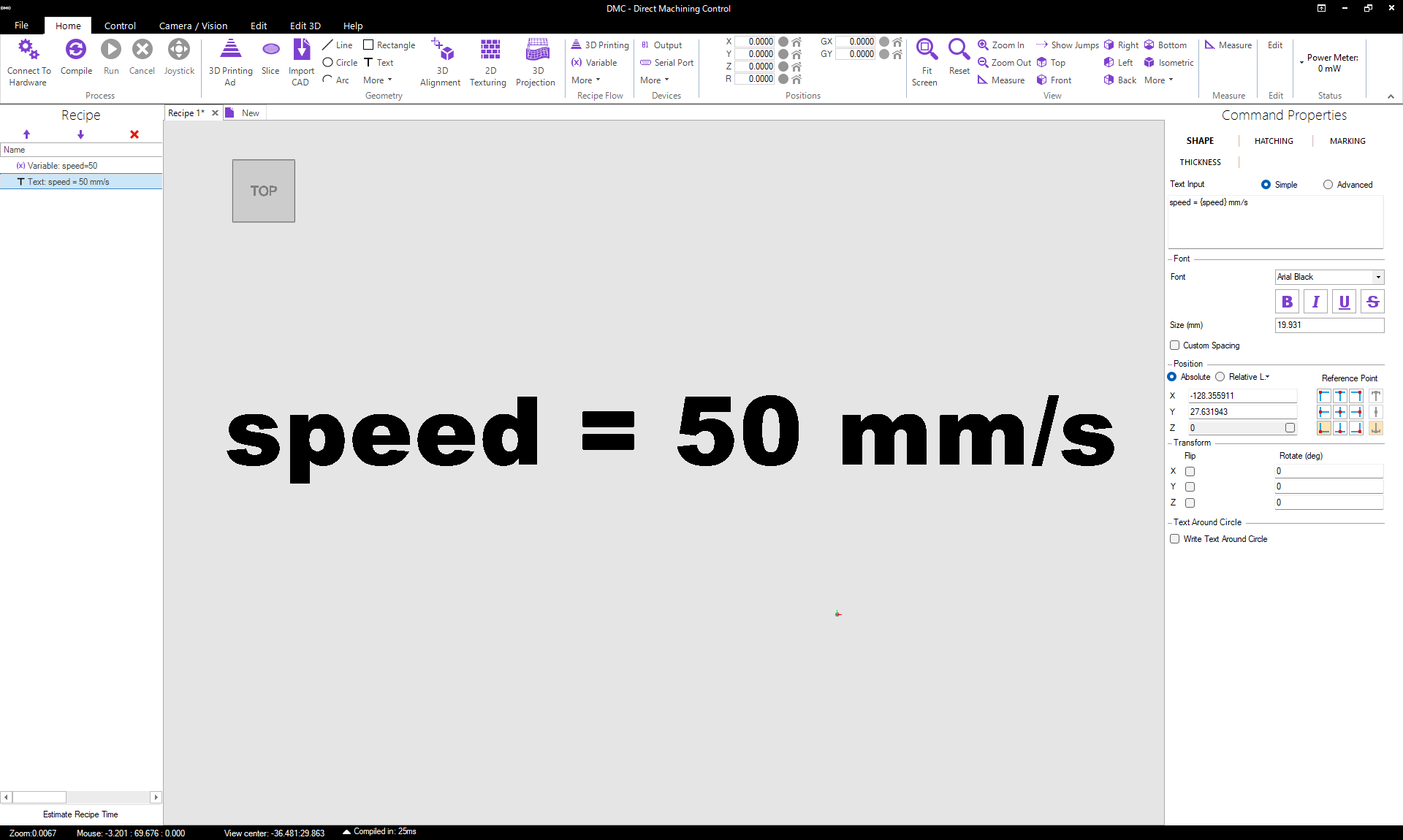
To add a text in the machining recipe, simply click on the Text tool and click where it should appear.

DMC supports fonts supported by Windows, bold, italic, underline, and strikethrough functions.

Formulas and Variables can be used and interpreted in the text as well using {}. E.g. a line “speed = {v} mm/s”, where “v” is a variable with value 50, will return a result “speed = 50 mm/s”. This function is especially useful in R&D as process parameters can be marked near objects for future reference.

Stitching: galvo + stages automation

DMC laser machining software has a Stitching tool to combine the motion of galvo scanners and linear stages. It makes use of the fast speed of galvo scanners and the field size of linear stages. And all of it is controlled with an easy function in a single window.

Stitching allows to

  • divide large objects or recipes into tiles or
  • center each object in the galvo field e.g. for laser drilling.

Instead of generating G-Code, DMC controls all of the hardware directly, so all the motions are coordinated with available feedback from controllers.

Variables for easy parameter change

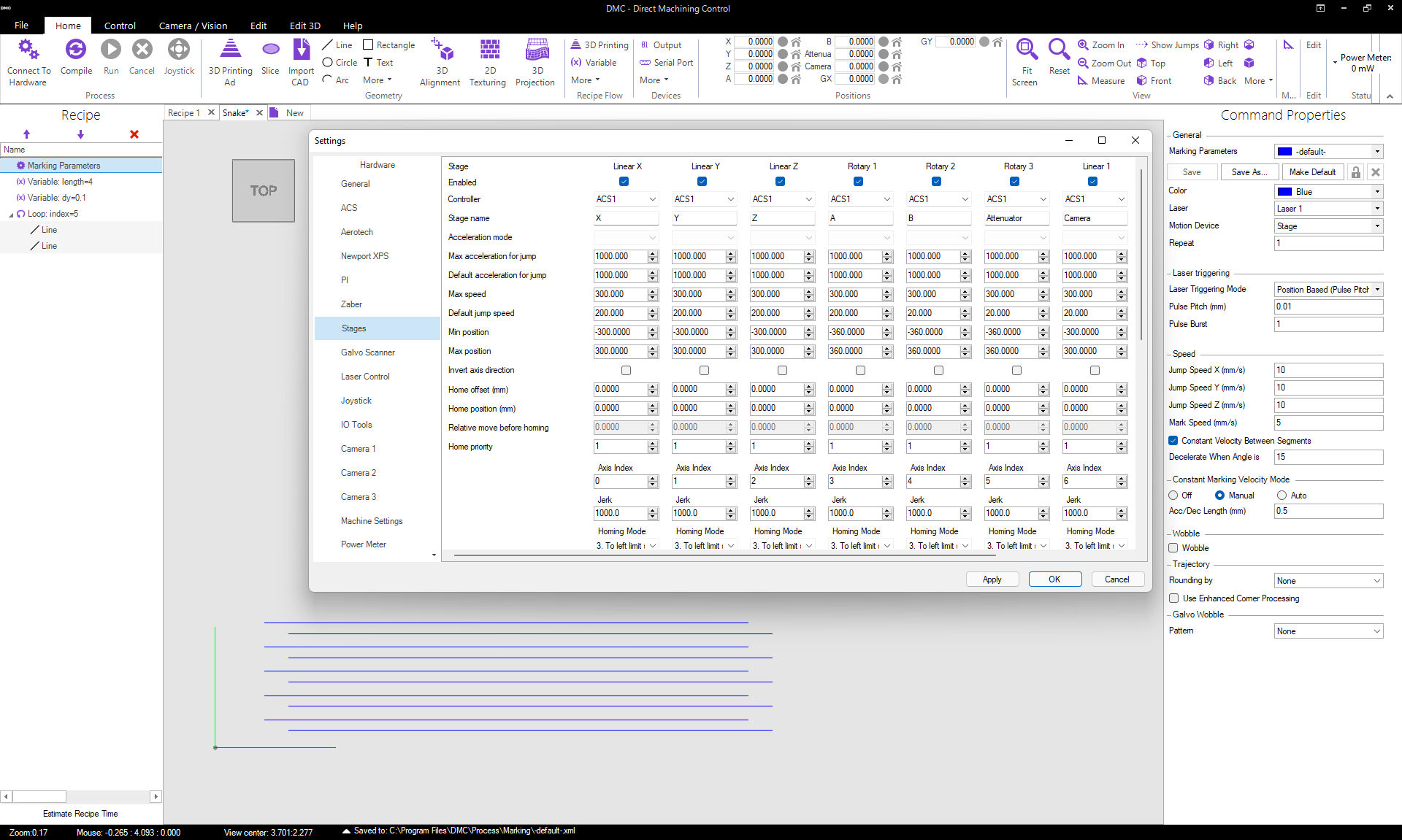
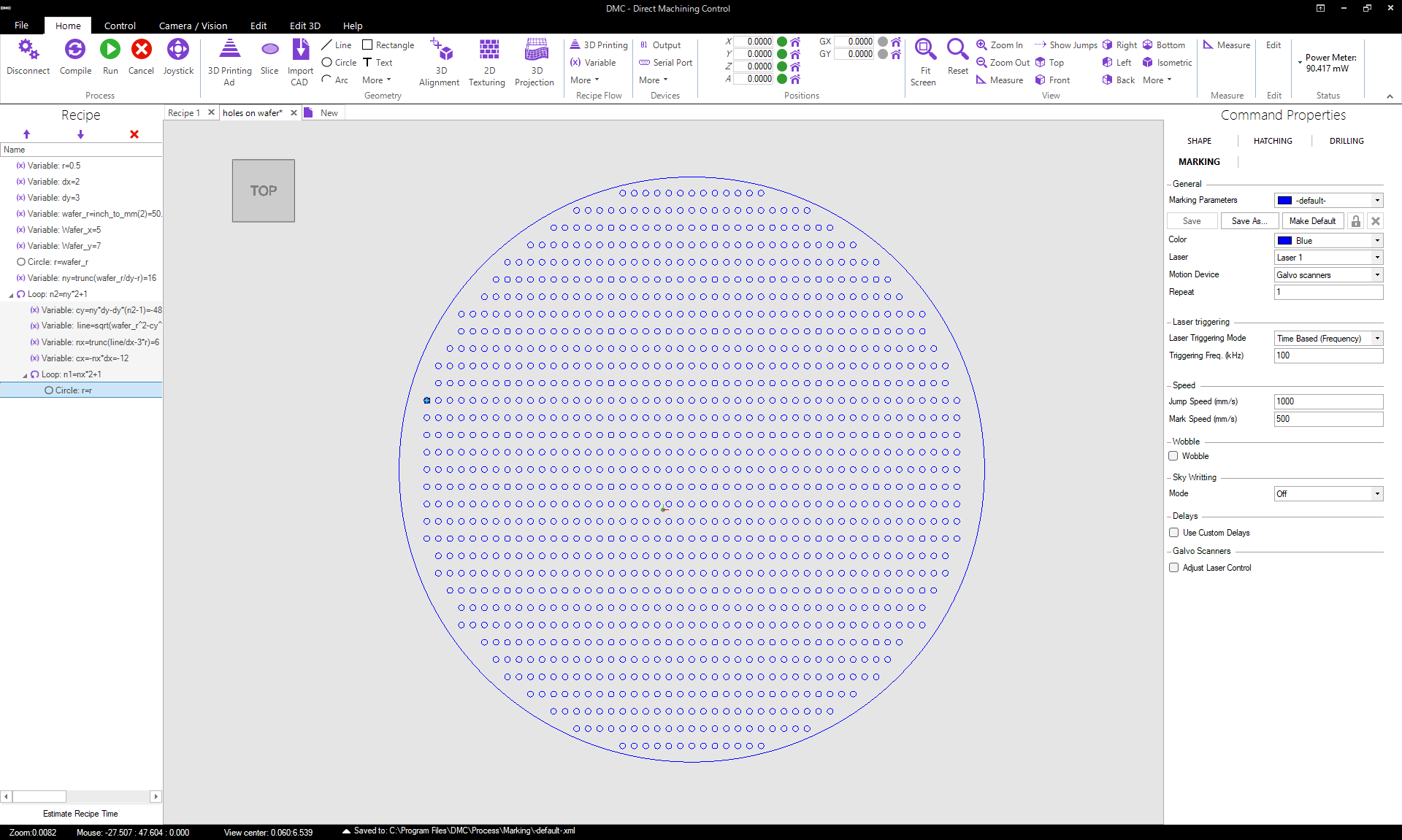
Laser machining recipes can be automated using variables. Each parameter in the recipe (e.g. position, size, rotation angle, motion speed, galvo delay, number of repetitions, etc.) can be entered as a variable. For example, create a variable with the name “v” and enter it anywhere where motion speed needs to be controlled. Now change just the value of the variable “v” and speed will change everywhere it is used. Changing variable values is also possible within the recipe, e.g. increasing the value of “v” by 50 mm/s for each next rectangle, to test process parameters.

All the parameters and the variables can be described by mathematical formulas as well. E.g. value of “v” can be “i*pi^2+3” where “i” is the name of another variable and “pi” is a constant π.

Loops for repetitive tasks

Any part of the laser machining recipe can be looped in DMC. That allows creating flexible repetitive recipes easily. Using loops most complex shapes and patterns can be created. It is also great for testing various machining parameters as the same object can be repeated with different laser or motion parameters a number of times.

The number of loops can be a fixed number or formula or variable. The number (counter) of the loop is also a variable on its own and can be used for automation.

Loops within loops are also allowed.

Focus distance adjustment

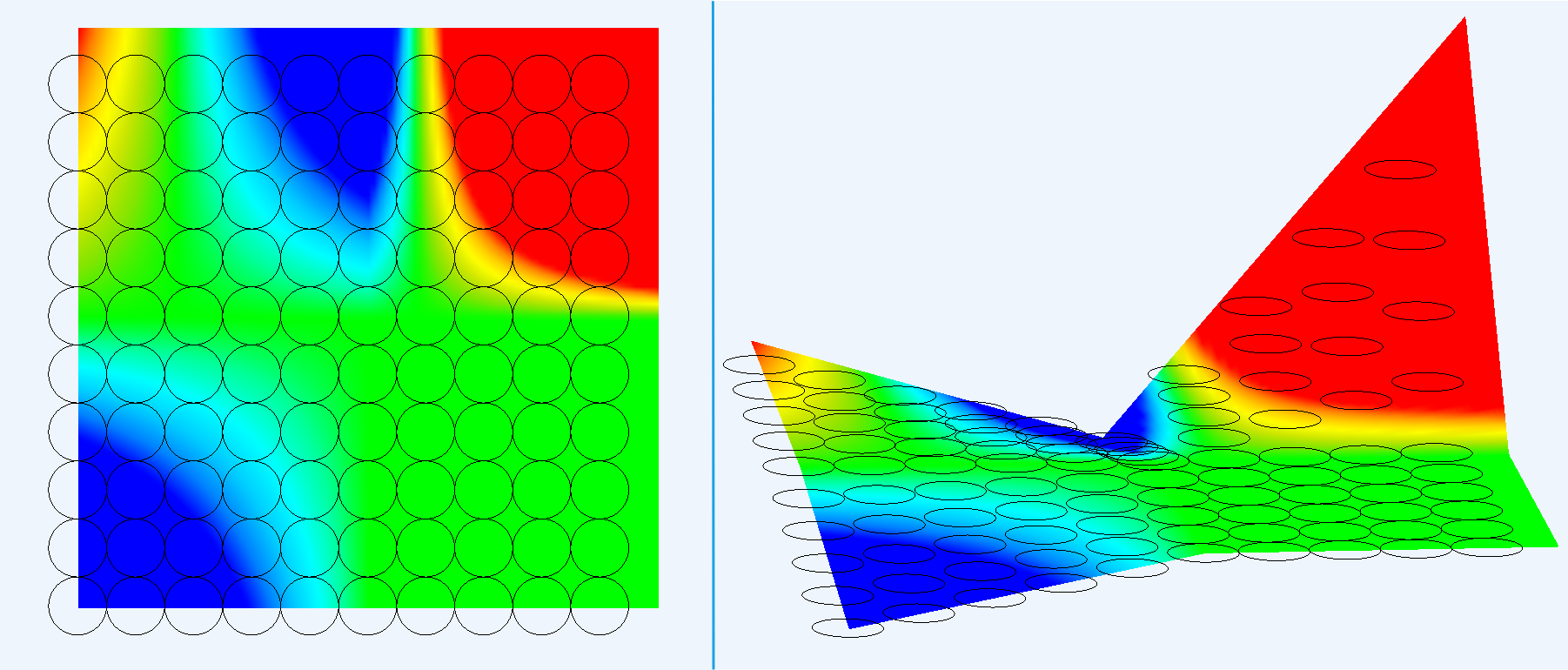
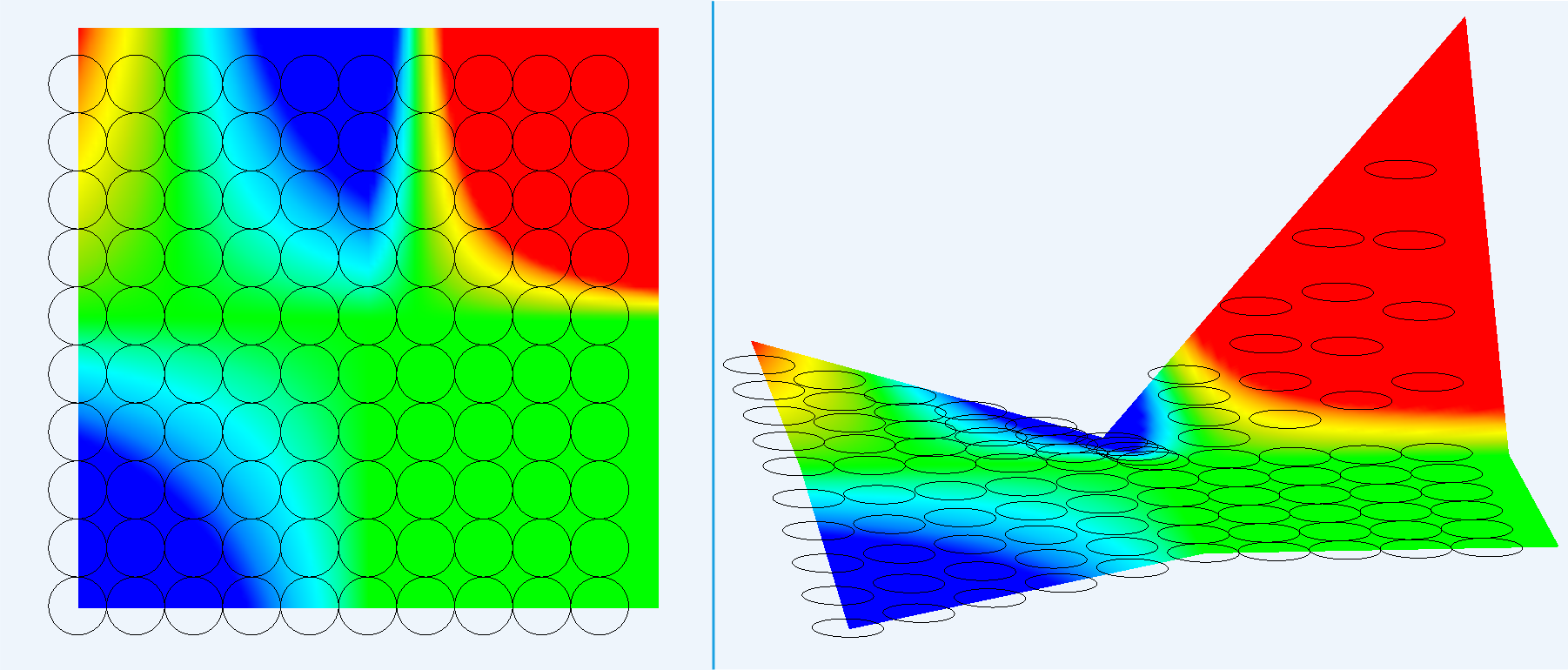
When the sample is tilted or has an uneven surface, distance to it can be acquired via the camera focus function or some other sensor (e.g. Keyence height sensor). That data is generated to a heightmap and is used to compensate beam focus position.

Users can select which area should be mapped and the device to do it. Alternatively, a map created by other means can be imported as a CSV file.

Z position of each object is adjusted with the Z positioning stage or galvo Z-axis according to the map data to keep the laser beam always in focus on the uneven surface.

Triggers

DMC allows recipe start or restart control by digital inputs. Use a Wait For Trigger command to stop the execution of the recipe in a set place. And it will be continued when a set digital input is set to High or Low value.

Use this to idle the process until the machine performs some other actions, e.g. adds more material for the additive manufacturing process.

3D printing process automation

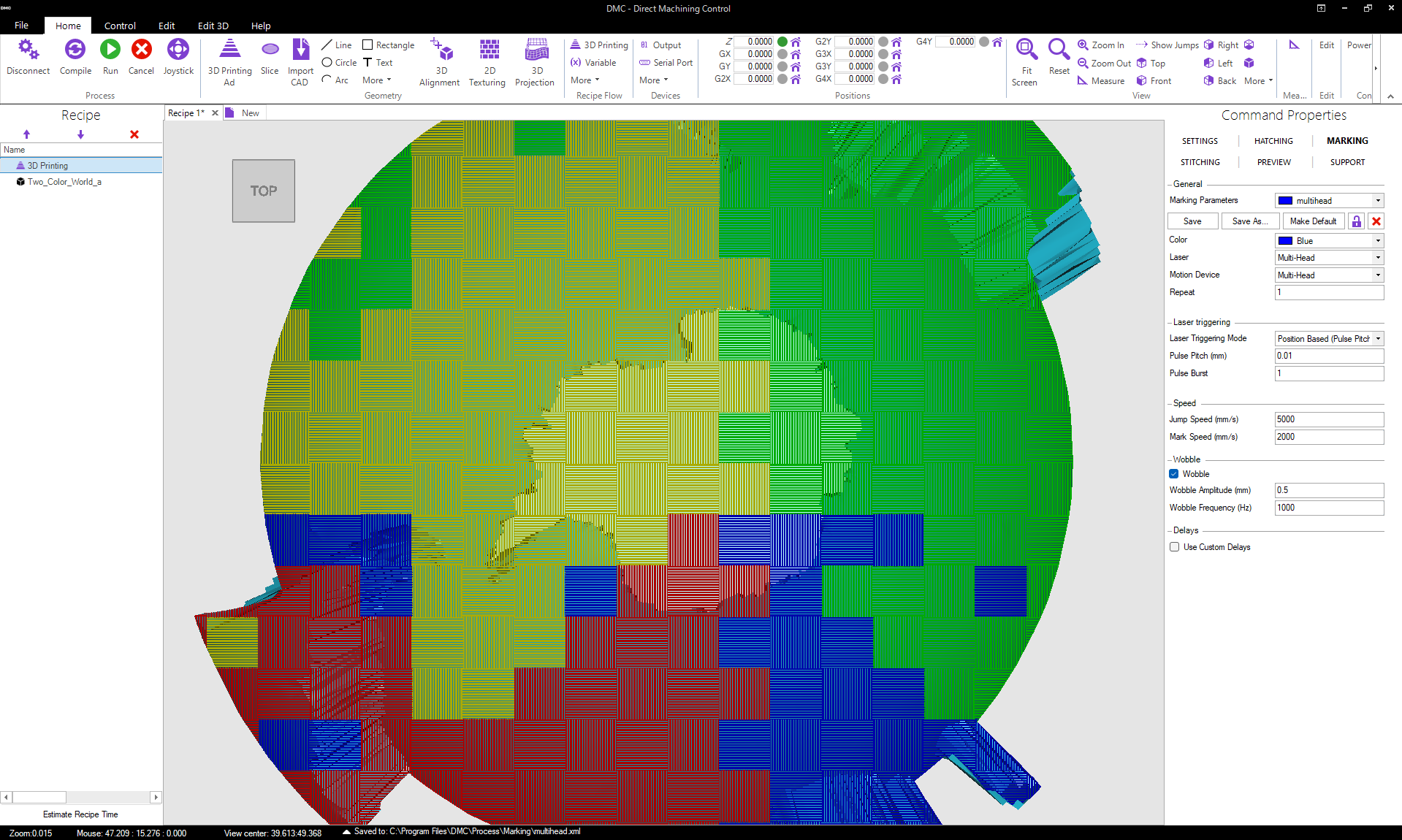
Additive laser manufacturing or 3D laser printing processes like SLS, SLM or stereolithography may use an additional level of automation.

All the inserted STL objects are combined to machine them together layer by layer. Many different objects can be printed at the same time, with a start position at different heights as well.

Specific action sequences can be described to perform before and after each layer. Use this to add more material and other tasks.

Positioning stages

DMC laser machining software controls positioning stages directly using manufacturer’s .dll files instead of generating G-Code. Therefore, control is always precise and does not need additional postprocessing, proofing, and upload. Just click run and motion is executed.

Some of the supported controllers are:

  • ACS Motion Control
  • Aerotech A3200
  • Newport XPS
  • Physik Instrumente (PI)
  • Polaris Motion Control
  • Zaber
  • Delta TAU

Support for additional controllers can be added on request.

Joystick

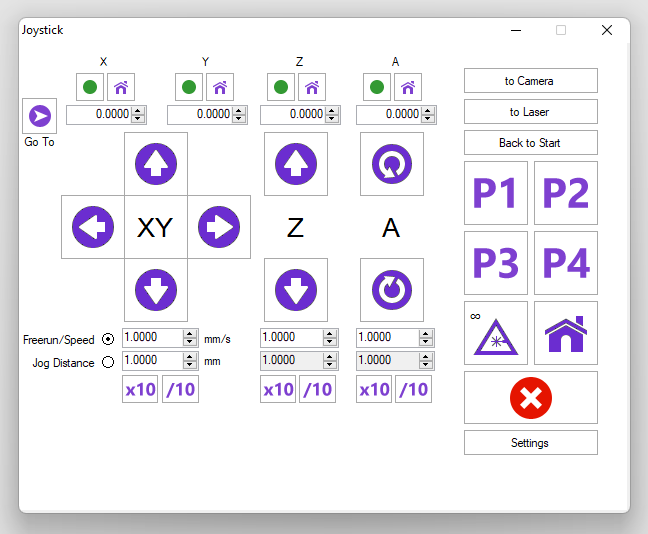
Additionally to automatic motion control, a manual joystick is also available.

Joystick controls any number of linear and rotary stages. Motion is done at a set speed or by a jog distance. Quick change of speed/jog distance is available by +/- buttons. X, Y, Z stages can be controlled on a PC keyboard as well.

In addition, Joystick has 4 preset positions which can be easily assigned by the user, e.g. for the unloading position.

When an off-axis camera is used, motion between laser and camera can be done with a single click. This allows to quickly evaluate what was machined.

Joystick also turns laser fire ON or OFF.

Galvanometric scanners

DMC controls XY or XYZ galvo scanners.

Some of the DMC supported galvo scanner controllers:

  • RTC3/4/5/6 with XL Scan by ScanLAB
  • Raylase SP-ICE
  • Cambridge ScanMaster
  • Canon GB-511
  • SmartMove

Additional controllers can be implemented on request.

Functionality such as galvo delays tables and skywriting is implemented and easily accessible in DMC.

Combined motion by galvo scanners and stages is possible by using the Stitching function. Large objects are split into smaller ones to fit in galvo field. Small objects can be centered automatically by stages in the galvo field of view, e.g. for hole drilling. And if an object is out of galvo scanner field of view, stages will move automatically to fit it in.

Laser source

Laser sources can be triggered through motion controller outputs (RTC4/5, Aerotech PSO channel, ACS PEG, etc.). Triggering can be done at a set frequency or position-based (e.g. Aerotech PSO, ACS PEG functions).

For laser sources supporting the function, power can be controlled via analog output from DMC.

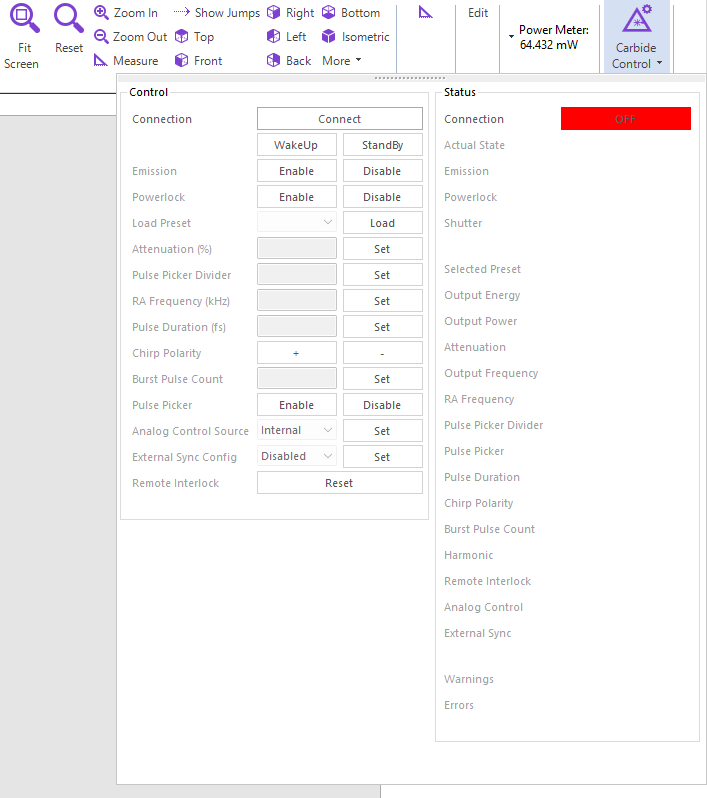
However, it is often convenient to control more than laser power and triggering frequency. A full laser control (frequency, waveform, pulse duration, wavelength, etc.) can be implemented on request by Direct Machining Control. Also, an API to write plugins for new laser source support will be released in a near future.

Some of DMC supported lasers are:

  • Light Conversion
  • SPI
  • Amplitude
  • Lumentum
  • Coherent
  • Spectra-Physics
  • Rofin
  • Trumpf TruMicro (over OPC UA)

Additional lasers can be implemented on request.

Serial port

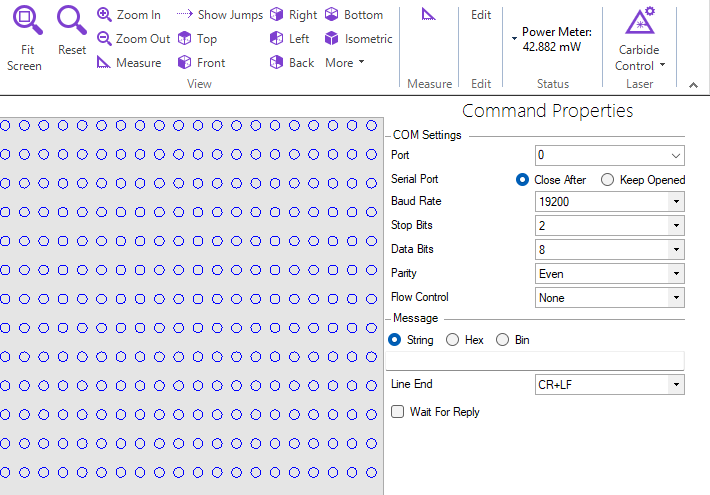
Peripheral devices can be controlled by DMC laser machining software via the Serial Port tool.

Select connection parameters and enter the communication commands. Also, such commands can be used within the recipe.

I/O control

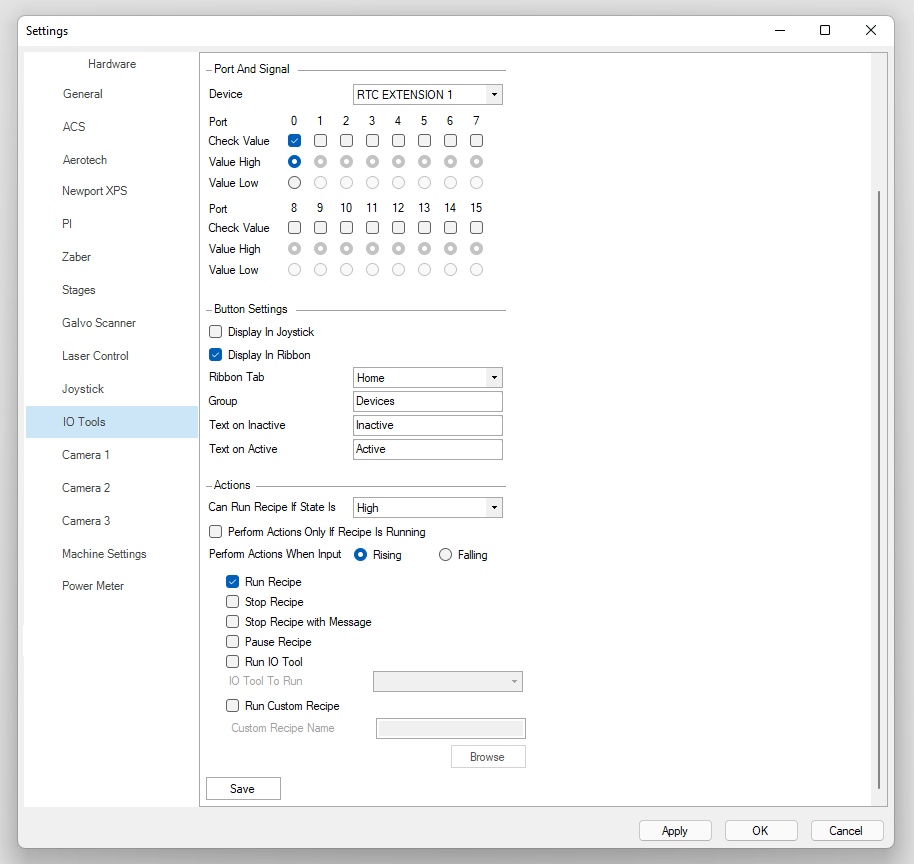
DMC can control various digital and analog I/O on the system. They can be controlled directly or adding a command in the recipe.

Also frequently used I/Os (e.g. vacuum chuck, lighting control) may be configured as toggle buttons in the Ribbon menu.

Cameras

A selection of various cameras is supported in DMC. They are used for various Machine Vision tasks including sample visualization, alignment, autofocus, and system calibration tools.

Some of DMC supported cameras are:

  • Any camera with GigE Vision
  • IDS Imaging uEye
  • Basler
  • Mightex
  • Others

Additional cameras can be implemented on request.

Sensors

A selection of various sensors is supported in DMC. They are mostly used for:

  • Distance, height detection. When calibrated, such sensors can be used for automatic focus position detection or profile measurements.
  • Power measuring. Power meters can be used to automatically set required laser power via analog output or direct laser control.

Additional lasers can be implemented on request.

5-Axis with galvo for surface processing

DMC can be used to control 5-axis stages plus a galvo scanner for any 3D shape processing. After the system is configured in DMC, the user only has to import a CAD object, set process parameters, and click Run. DMC handles trajectory calculation and process control.

Adaptive Mark on Fly

DMC’s Adaptive Mark on Fly (MOTF) allows efficient processing of large parts that can tolerate stitching or have features that are small enough to fit into the scanner field. MOTF analyses the pattern and controls stage speed according to it. If there are a lot of lines, it slows down and when not – speeds up. Using DMC’s MOTF, it is possible to achieve up to 30% faster processing times compared to other technologies.

The user only has to import the pattern, define the process, select the size of the feature to preserve, and choose the fly direction. DMC automatically splits the pattern, calculates trajectories, and controls the hardware to do the job.

Infinite Field

Other supported technologies:

  • Aerotech’s Infinite Field of View
  • Scanlab’s XL Scan
  • Polaris IFOV

Multiple Scanners for Single Area

DMC enables the simultaneous use of several scanners for processing a single area. The user has to import a CAD object and define process parameters, then DMC automatically handles trajectory separation between several scanners and controls the hardware to produce the part.

5+ Scanners

The user can configure 5 or more scanners for one system. Several scanners can take care of the hatching and one can be left for the contour. Any other strategy can be defined for your process as well.

To achieve high quality, DMC has a range of calibration tools and special joining strategies.

Camera View

The camera view is displayed in the Recipe Preview window in DMC. It is calibrated to match the coordinate system of positioning stages and galvo scanners. Because of that, machining trajectories match the view of the sample, where they will be machined.

DMC laser machining software supports several cameras. E.g. one camera for a general view of the area and one camera for a high-resolution view of small features.

The camera view can be calibrated to be coaxial to a laser beam or off-axis. In case the off-axis camera view is used, the sample can be delivered between laser and camera by a single mouse click.

The camera can be also used for manual and automatic alignment and finding focus distance.

Autofocus

DMC Machine Vision module has an Autofocus function for the camera(s) used in the system.

The focus position is found for a selected camera by moving the user-selected stage (by default Z-axis). Focus can be found by scanning the whole set range continuously or by small steps looking for focus improvement.

The autofocus function is especially useful when the camera to laser focus distance is calibrated. Then the user can find a laser focus point on the surface easily with just a single mouse click.

Alignment

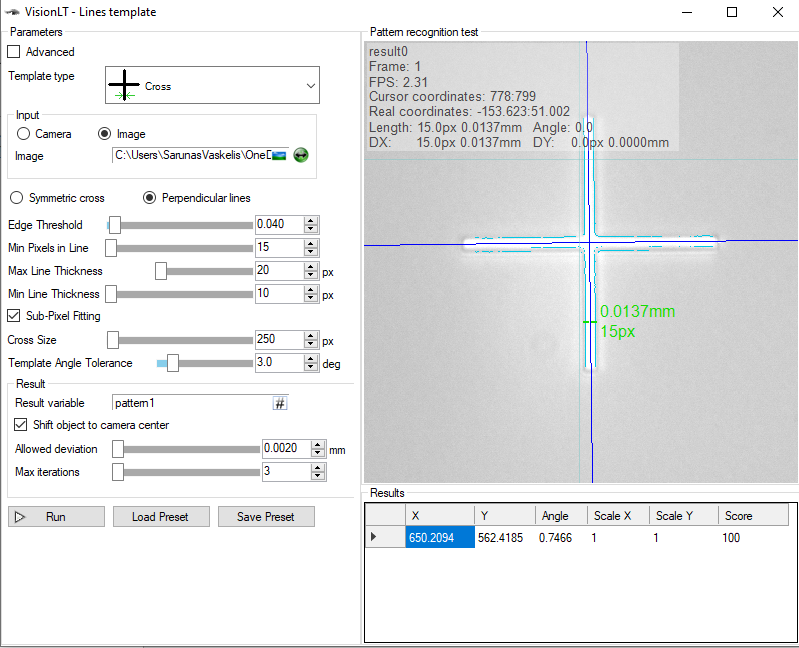
Built-in DMC’s Machine Vision module provides alignment functionality for laser machining processes. There are several alignment modes:

  • Manual, when machining trajectories are dragged to match sample view.
  • Manual, when fiducials are selected in camera view by the operator.
  • Simple, when Machine Vision finds the position of a user set image.
  • Advanced, when Machine Vision searches for a set pattern e.g. cross, edge, etc.

Alignment can be done using from one to four alignment marks. After alignment, all recipe is rotated and translated automatically to match sample displacement error.

Camera Stitching

Built-in DMC’s Machine Vision module allows for easy camera view stitching. The user just has to define the area to see and DMC moves stages automatically to capture and combine all the images.

Camera Calibration

MM per Pixel Detection automatically detects mm/pixel and camera orientation by moving stages and analyzing the camera view.

Set View Size/Position allows for an easy camera to laser offset definition and the user can also correct perspective if the camera is mounted at an angle.

After the camera is calibrated, designed trajectories precisely match with the machined ones through the camera view.

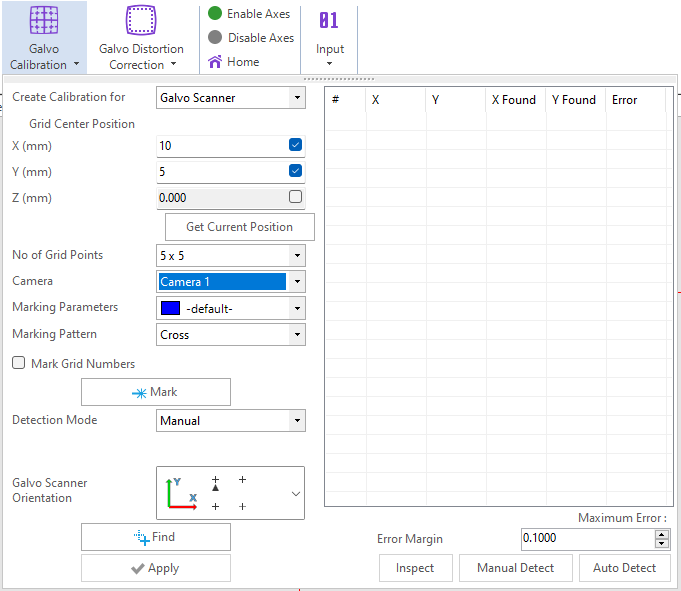
Galvo Scanner Calibration

DMC has two tools for galvo scanner calibration. The main tool uses a system’s stages and the camera to capture the marked grid. The secondary tool is when the system does not have a camera or stages and allows importing an image to automatically extract the marked grid. Marked pattern recognition can be either manual or fully automatic.

With the main tool, DMC marks the grid with the Galvo and then uses the stages and the camera to find each point in the grid and then generates the calibration file accordingly.

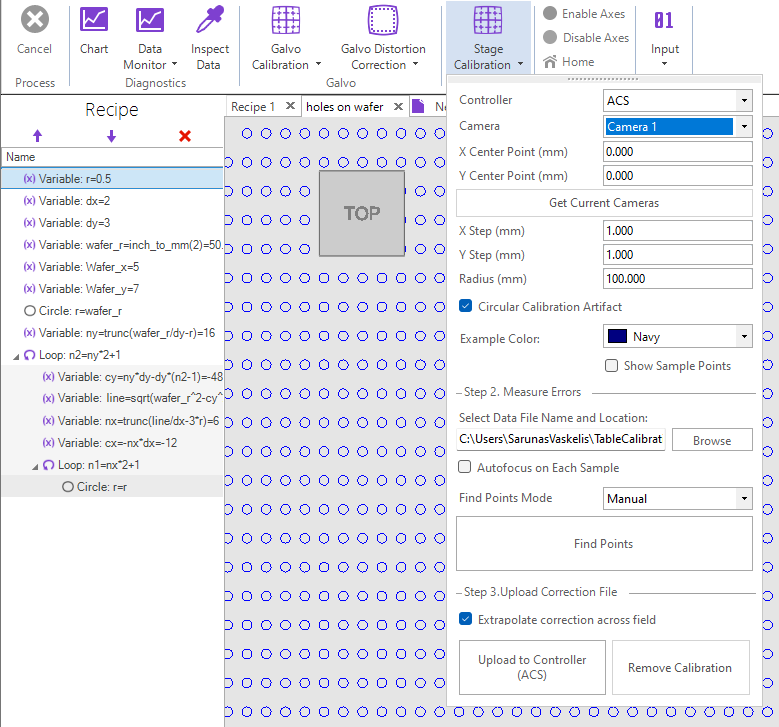
Stage Calibration Tool

DMC also allows for easy 2D stage calibration. The user must have a precise mask and mount it on the stage, then using stages and a camera DMC finds each point on the grid and generates a calibration file.